

![[locale:en] HD video recorder — the ideal portable device for professional recording](http://ca.madicaza.com/cdn/shop/files/cambolso_mao_en.webp?v=1780003919&width=1946)
![[locale:en] Full HD 1080P, night vision — the ideal portable tool for dentistry](http://ca.madicaza.com/cdn/shop/files/cambolso_ped_en.webp?v=1780003919&width=1946)


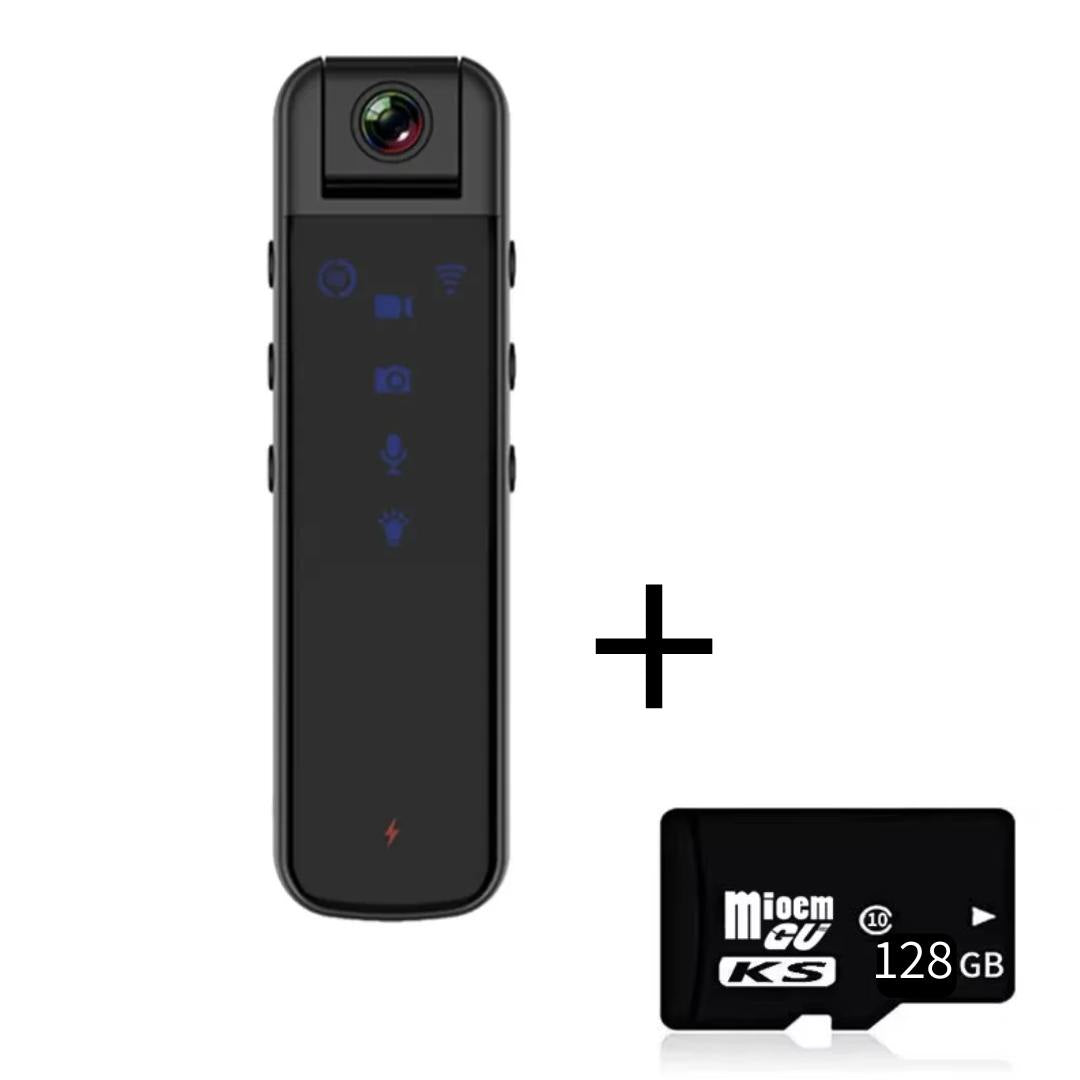
Mini Pocket Camera Full HD with Long Battery Life
Mini Pocket Camera Full HD with Long Battery Life
✅High Definition 1080P (Full HD)
✅180° Rotating Lens
✅Infrared Night Vision
✅Compact and Lightweight
Couldn't load pickup availability
1080P Camera Kit
Already included with your Portable 1080P Mini Camera- • 1x Mini camera
- • User manual
- • USB data cable


Why thousands of dentists and doctors document their cases with this mini camera

5x better than using your phone


Technical specifications
- Type Mini camera
- Sensor technology CMOS
- Stabilization No
- Video resolution 1920 × 1080P (Full HD) · 30 fps
- Photo resolution 4032 × 3024
- Video codec H.264
- Video format MP4
- Card type MicroSD / TF
- Memory expansion TF card from 4GB to 128GB
- Built-in memory No
- Infrared night vision Approx. 5 meters range
- Battery Built-in lithium 3.7V · 1000mAh
- Continuous recording time Approx. 5 hours
- Voltage DC 5V
- Loop recording Yes
- Motion detection Yes
- Lens rotation 180 degrees
- Net weight Approx. 50g
- Recommended use Sports DV, professional use, security and procedure documentation.
- Certification CE
FAQs
Have questions?
We have the answers.
What quality does this mini camera record in?
Records in 1080P High Definition (Full HD) at 1920×1080 and 30 FPS, ideal for clear, sharp documentation.
Can I adjust the camera angle?
Yes. It has a 180° rotating lens so you can frame quickly as needed.
Does it work in low-light environments?
Yes. It has infrared night vision with a range of up to about 5 meters, to record even in low light.
Does it have loop recording and motion detection?
Yes. Loop recording lets you record continuously (automatically replacing the oldest files) and motion detection starts recording when it detects activity.
How long does the battery last and can I record while charging?
The built-in lithium battery (3.7V 1000mAh) provides about 5 hours of continuous recording. You can also record and charge at the same time (DC 5V) so you don't interrupt your recordings.
Which memory card do I need?
Uses a MicroSD/TF card and supports memory expansion from 4 GB to 128 GB.
What warranty is included?
It includes a 120-day warranty against any manufacturing defect. If there's any problem, our support team will help you with a solution or replacement.
Is it comfortable for daily use?
Yes. It's compact and lightweight (approx. 50 g), easy to carry in your coat or pocket without discomfort.
How to use the mini camera (1 button = 1 function)
- Independent buttons With a single click you can record video, take photos or record audio, simply and directly.
- 1. Turn on the camera Turn it on and confirm it's ready before starting the procedure.
- 2. Start / stop video recording Click the record button once to start. Click again to stop.
- 3. Take photos Click the photo button once to capture an image instantly.
- 4. Record audio only Click the audio button once to start sound recording. Click again to finish.
- 5. Quick usage tip Use the buttons independently: video, photo or audio, depending on what you need at each moment.
What those who already bought are saying

Since I started using it, documenting my procedures is much easier. The quality is clear and professional.
The best part is the one-click recording. Light, practical and perfect for my clinical routine.

It's compact and stable. It's now an essential part of my practice.

I used to use my phone. Now my hands are completely freeand more professional recordings.
You may also like
-
High-Power Dental Vacuum with LED Light
Regular price $149.90Regular price $149.90 Sale priceUnit price per$214.1429% -
Turbo PRO Dental Vacuum Cleaner with 120W Power
Regular price $199.90Regular price $199.90 Sale priceUnit price per$285.7030% -
4K Portable Video Camera with Remote Control for First-Person Recording of Aesthetic and Medical Procedures
Regular price From $314.90Regular price From $314.90 Sale priceUnit price per$449.9030% -
Low-Speed Dental Contra Angle with Water Spray
Regular price From $101.90Regular price From $101.90 Sale priceUnit price per$135.9025%


